Most of a job hunt is slow, repeated work: scrolling listings, matching your resume to each post, tracking recruiter replies and booking interviews. Apps in ChatGPT let ChatGPT do those slow parts inside the services you already use, while every decision and every “Apply” click stays with you.
Quick answer
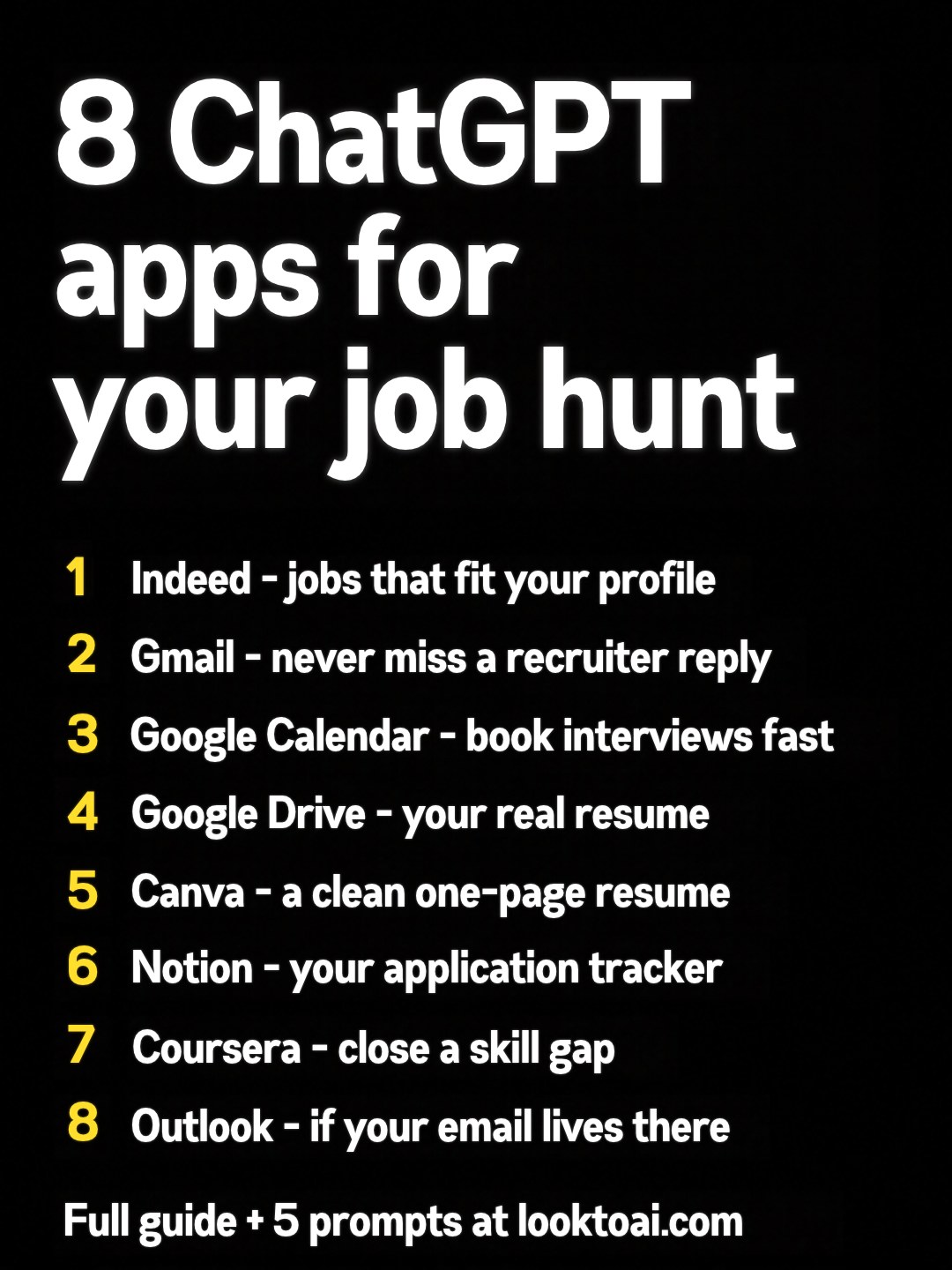
The best ChatGPT apps for job seekers are Indeed (search real job listings that match your Indeed profile), Gmail and Google Calendar (recruiter replies and interview times), Google Drive (your resume versions), Canva (a clean one-page resume), Notion (your application tracker), Coursera (courses for skills a job asks for) and Outlook if your email lives there. Turn on Indeed and your email app first.
Key facts
- The Indeed app in ChatGPT is made by Indeed. You connect your Indeed account and mention @Indeed in your prompt.
- You cannot apply inside ChatGPT: Indeed sends you to its own site to apply.
- Indeed says it shares your profile basics (name, city, summary, experience, education, skills, job preferences) with ChatGPT, not your contact details or application history.
- Apps live in ChatGPT’s Plugins directory. Availability depends on your plan, country and workspace.
- Start with 2 apps (Indeed + your email). Add the others when you need them.
Use Claude instead? Read our best Claude connectors for job seekers. Other jobs: see all our connectors by job guides.
The 8 ChatGPT apps for job seekers at a glance
| App | What it does in your job hunt | Turn on |
|---|---|---|
| Indeed | Searches Indeed jobs in your own words, tailors results to the resume and preferences in your Indeed profile, shows company overviews and employee ratings | First |
| Gmail | Finds recruiter emails, interview invites and replies you have not answered yet | First |
| Google Calendar | Looks up your events and free time before you answer “when are you available?” | When interviews start |
| Google Drive | Finds your resume versions and cover letters so ChatGPT works from your real documents | Early |
| Canva | Turns your resume text into a clean, editable design in your Canva account | When your resume text is final |
| Notion | Reads the application tracker you keep in Notion: roles, dates, status, next step | If you track in Notion |
| Coursera | Suggests courses for a skill that keeps showing up in job posts | For skill gaps |
| Outlook Email + Calendar | Same jobs as Gmail and Google Calendar, for people on Microsoft accounts | Instead of Gmail |
What can the Indeed app in ChatGPT do?
It searches Indeed’s job listings from inside your chat. You write what you want in plain words, such as “remote customer support jobs, part time, no weekends”, and ChatGPT shows matching Indeed posts. If your Indeed profile has your resume and job preferences, the results follow them. It can also show a company overview and employee ratings, which helps you decide if a role is worth your time.
What it does not do: it does not apply for you. When you pick a job, you are sent to Indeed to start the application. That is a good thing: you read the full post and press the button yourself.
How to turn it on: create or complete your Indeed profile, open ChatGPT’s Plugins directory (it replaced the old app directory), search “Indeed”, click Connect, sign in to Indeed, then write @Indeed in your prompt.
How do Gmail and Google Calendar help a job seeker?
A job hunt dies in the inbox. A recruiter replies on Tuesday, you see it on Friday, and the slot is gone. With Gmail connected, ChatGPT can search your mail for recruiter messages, interview invites and threads you never answered, and list them with dates. With Google Calendar connected, it checks your free time before you reply to “Which times work for you?”.
ChatGPT writes the reply in the chat. You copy it, check it, and send it from your own inbox.
Why connect Google Drive before you rewrite your resume?
Because ChatGPT then works from your real resume, not from what you remember. Ask it to find your latest resume in Drive, compare it with a job post, and list the gaps. You get advice on the document you will actually send. Keep one master resume and save each tailored copy with the company name in the file name, so you always know which version went where.
Both libraries, the apps and the job guides in one download
$97Everything we make · $133 as separate bundlesSee inside →Buy once, get every updateCanva, Notion and Coursera: when do you need them?
- Canva: once your resume text is final. Ask for a one-page, simple layout. Then open it in Canva and check every line: dates, spelling, links.
- Notion: if you already keep a job tracker there. ChatGPT reads it and tells you which applications need a follow-up this week.
- Coursera: when the same skill keeps showing up in posts you want (for example “Excel” or “project management”). Ask for short beginner courses and pick one.
5 prompts to copy (and what you get back)
1. Jobs that fit your real profile
@Indeed Find 10 jobs that match my Indeed profile. Location: [city] or remote. Not: [what you do not want]. For each one give the title, company, pay if shown, and one line on why it fits me.
You get: a short list of real posts with links, and a reason for each, so you can skip the poor fits fast.
2. Resume vs job post
Find my latest resume in Google Drive. Compare it with this job post: [paste the post]. List the 5 requirements I already show, the 3 I show weakly, and the 2 I do not show. Do not invent experience I do not have.
You get: a gap list you can fix in 15 minutes, with no made-up skills.
3. Inbox sweep
Search my Gmail from the last 14 days for emails from recruiters or companies about jobs or interviews. List sender, company, date, what they asked, and whether I replied.
You get: one table of every open thread, so no reply slips through.
4. Interview time reply
Check my Google Calendar for next week. Give me 3 free one-hour slots between 9:00 and 17:00, then write a short, polite reply to this recruiter offering them: [paste their email].
You get: a ready reply with times that really are free. You send it yourself.
5. Company check before you apply
@Indeed Show me the company overview and employee ratings for [company]. Then give me 3 questions I should ask in an interview there.
You get: a quick picture of the employer and smart questions to ask.
What should you never let ChatGPT do in your job hunt?
- Invent experience, degrees or results. Ask it to use only what is in your resume.
- Send emails or applications for you without your check. Read every line first.
- See your ID numbers, bank details or passwords. A job application never needs those in a chat.
- Decide which job to take. Use it to sort and prepare; the choice is yours.
How to set up your job hunt in ChatGPT (10 minutes)
- Complete your Indeed profile: resume, skills and job preferences.
- In ChatGPT, open the Plugins directory and connect Indeed and your email app (Gmail or Outlook).
- Put your master resume in Google Drive and connect Drive.
- Run prompt 1 and prompt 3 above. That is your daily routine: new matches, then open replies.
- Add Calendar, Canva, Notion or Coursera only when you need them.
Want ChatGPT to do more of the slow work?
The Complete No-Hype Guide to ChatGPT is 8 practical books with tested prompts and example answers: projects and files, research, writing, work and agents.
FAQ
Is the Indeed app in ChatGPT made by Indeed?
Yes. Indeed built it and lists it as a third-party app in ChatGPT. You connect your Indeed account, then mention @Indeed in your prompt to search jobs.
Can I apply for jobs directly inside ChatGPT?
No. When you choose a job, the Indeed app sends you to Indeed to start the application. You read the full post and apply yourself.
Does Indeed share my personal details with OpenAI?
Indeed says it shares only the profile details needed for your job search, such as your name, city, summary, experience, education, skills and job preferences, and not your contact details or application history.
Which ChatGPT apps should a job seeker turn on first?
Start with Indeed to find matching roles and Gmail or Outlook to keep track of recruiter replies. Add Google Calendar, Google Drive, Canva, Notion or Coursera when you need them.
Are ChatGPT apps free?
Apps are available on ChatGPT’s free and paid plans in many countries, but each app’s availability depends on your plan, region and workspace. Some services, like Canva or Coursera, have their own paid features.
Written against the ChatGPT Plugins directory and the Indeed Help Center. Apps change often: check the app’s page in ChatGPT before you connect it.
Enjoyed this? Steal the 10 prompts I actually use.
The No-Hype AI Starter Kit — copy-paste prompts, a model cheat-sheet, and a 7-day plan. Drop your email and it's yours instantly.
No spam. Unsubscribe anytime.