
A job hunt is mostly slow work: scrolling listings, rewriting the same resume, chasing replies, booking interviews and remembering who you spoke to. Claude connectors let Claude do those slow parts inside the apps you already use, while you keep every decision and every click on “Apply”.
Quick answer
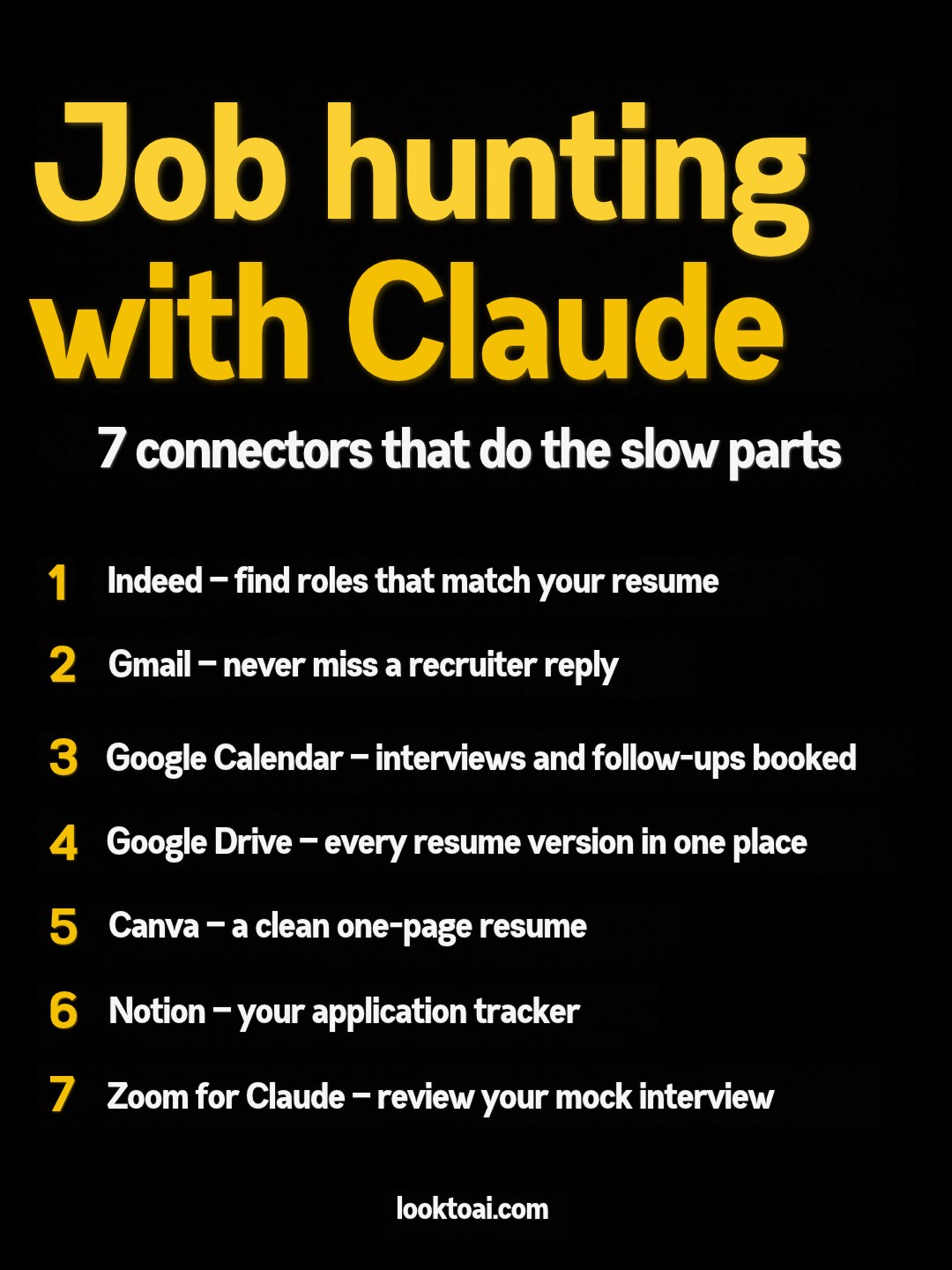
The best Claude connectors for job seekers are Indeed (search real job listings and read full job descriptions), Gmail and Google Calendar (recruiter replies, interviews, follow-ups), Google Drive (your resume versions), Canva (a clean one-page resume), Notion (your application tracker), plus Zoom for Claude and Calendly for interviews and networking calls. Turn on Indeed and Gmail first.
Key facts
- The Indeed connector is published by Indeed and is read-only: it searches jobs and opens job details. It does not apply for you.
- You add connectors in Claude under Customize > Connectors, or from the + button in a chat.
- Start with 2 connectors (Indeed + Gmail). Add the others when you need them.
- Claude drafts; you send. Keep Gmail on “needs approval” so nothing goes out without you.
- Never paste ID numbers, bank details or passwords into any AI chat.
Other jobs: see all our Claude connectors by job guides.
The 8 Claude connectors for job seekers at a glance
| Connector | What it does in your job hunt | Turn on |
|---|---|---|
| Indeed | Searches jobs by title, keywords, location and type; opens full job descriptions and requirements with a direct link | First |
| Gmail | Finds recruiter emails, reads threads, drafts replies and follow-ups | First |
| Google Calendar | Adds interviews, prep blocks and follow-up reminders | Week 1 |
| Google Drive | Reads your resume and cover letter versions (text files and Docs) | Week 1 |
| Canva | Creates and exports a clean resume or portfolio page | When you redesign |
| Notion | Builds and updates your application tracker | Week 1 |
| Zoom for Claude | Reads summaries and transcripts of recorded Zoom meetings, such as a mock interview | Before interviews |
| Calendly | Shares your availability and books networking calls | For networking |
1. Indeed: find roles that actually match your resume
The Indeed connector is built by Indeed. It gives Claude two read-only abilities: search Indeed jobs and open the full details of one listing, with a direct link to apply on Indeed. It cannot apply, save a job or message an employer. That is a good thing: you stay in control of every application.
The trick is to upload your resume in the same chat, so Claude searches with your real skills instead of a job title guess.
The resume match sweep
Use Indeed. Read my attached resume first. Find 15 open roles in [city or remote] posted recently that fit my experience. For each one: title, company, link, the 3 requirements I clearly meet, and the 1 requirement I am weakest on. Then rank them from best fit to worst and tell me which 5 to apply to this week.
What you get back: a ranked table of 15 real listings with links, your strong and weak points for each, and a short list of 5 to apply to first.
Read the job post like a recruiter
Use Indeed to open this job: [paste the Indeed link or job title + company]. List the must-have skills, the nice-to-have skills and the words they repeat most. Then compare them with my resume and write 4 bullet points I should add or rewrite, using my real experience only. Do not invent anything.
What you get back: the keywords that matter for this one job and 4 honest resume bullets written in your words.
Hand AI the paperwork, keep every judgment. Buy once, get every update.
2. Gmail: never lose a recruiter reply
Replies from recruiters get buried under alerts and newsletters. With the Gmail connector, Claude searches your inbox, reads the threads and drafts answers. By default, sending needs your approval, so Claude prepares and you press Send.
The inbox sweep
Search my Gmail for the last 14 days for emails from recruiters, hiring managers or job platforms about my applications. Make a list: company, role, what they asked, and whether I have replied. For every email that still needs a reply, draft a short, friendly answer and save it as a draft.
What you get back: a to-do list of every open conversation and ready drafts waiting in Gmail for you to check and send.
3. Google Calendar: interviews, prep and follow-ups in one place
Claude can create and update events in Google Calendar. Use it to add the interview, a prep block the day before and a follow-up reminder two days after, in one step.
Book the whole interview
I have an interview with [company] for [role] on [date and time]. Add it to my Google Calendar with the meeting link from the email. Add a 45-minute prep block the day before, and a reminder 2 days after the interview to send a follow-up if I have not heard back.
What you get back: three calendar events created and a short summary of what was added.
4. Google Drive: one resume, many versions
Keep your master resume as a Google Doc. Claude can read it from Drive (text content), so you can ask for a tailored version for each job without uploading files again and again.
5. Canva: a clean one-page resume
The Canva connector can search, create, fill and export designs. Ask Claude to turn your final text into a simple one-page resume, then check the layout yourself before you export the PDF. Simple designs are easier for applicant tracking systems to read than heavy graphics.
Both libraries, the apps and the job guides in one download
$97Everything we make · $133 as separate bundlesSee inside →Buy once, get every update6. Notion: your application tracker, kept up to date
A tracker stops you from applying twice to the same company or forgetting a follow-up. With the Notion connector, Claude can create pages and databases and update them.
Build the tracker
Create a Notion database called “Job hunt” with these columns: Company, Role, Link, Date applied, Status (To apply, Applied, Interview, Offer, No), Next step, Next step date, Contact. Then add the 5 roles we picked from Indeed with status “To apply”.
What you get back: a ready Notion tracker with your first 5 roles already in it.
7. Zoom for Claude: learn from your mock interview
Record a practice interview with a friend on Zoom. With Zoom for Claude, Claude can search your meetings and read the AI summary and transcript, then point out where your answers ran long or missed the question.
The mock interview review
Find my Zoom meeting “Mock interview” from this week. Read the transcript. For each question I was asked, tell me in one line what was good, what was missing, and rewrite my answer in the STAR format (situation, task, action, result) using only what I actually said.
What you get back: a question-by-question review and stronger STAR answers built from your own words.
8. Calendly: easy networking calls
Many jobs come from conversations, not job boards. The Calendly connector can create scheduling links and check availability, so a “let’s talk” message can carry a booking link right away.
Free tool · no sign-upHow many hours could AI give back?A rough weekly estimate and where to start.Try it →How to set this up in 15 minutes
- Open Claude and go to Customize > Connectors (or click + in a chat).
- Add Indeed and Gmail. Sign in where asked.
- Keep Gmail actions on “needs approval” so Claude never sends on its own.
- Upload your resume in a new chat and run the resume match sweep above.
- Add Notion and Google Calendar when you start applying.
Limits and privacy
- Connectors read your data only when you ask, inside the chat. Turn off the ones you stop using.
- Indeed results are listings at the moment you search. Always open the link and check the job is still open.
- Never paste ID numbers, bank details, passwords or other people’s private data into a chat.
- Never let AI invent experience. Every bullet on your resume must be true and something you can explain in an interview.
Want to know which parts of your own job AI can already do? Try our free Will AI change my job? check. Other job guides: freelancers, small business owners, teachers, content creators.
Want every Claude skill in one place?
The Complete No-Hype Guide to Claude: projects, files, connectors and tested prompts with example answers, written for people who are not technical.
FAQ
Can Claude apply to jobs for me with the Indeed connector?
No. The Indeed connector is read-only: Claude can search jobs and read job details, and it gives you the direct link. You open the link and apply yourself.
Is the Indeed connector made by Indeed?
Yes. It is published by Indeed and listed in Claude’s connectors directory. It searches Indeed’s job listings and company information inside your Claude chat.
Which connectors should a job seeker turn on first?
Start with Indeed to find matching roles and Gmail to track recruiter replies. Add Google Calendar and Notion when interviews and applications start to pile up.
Will Claude send emails to recruiters without asking?
Not if you keep the default setting. Gmail actions like sending need your approval, so Claude saves drafts and you decide what goes out.
Is it safe to upload my resume to Claude?
A normal resume is fine for most people. Remove your full home address, ID numbers and anything you would not show a stranger, and check your Claude privacy settings.
Sources: claude.com/connectors/indeed, docs.indeed.com/mcp, support.claude.com (connectors). Featured photo: Kaitlyn Baker on Unsplash.
Enjoyed this? Steal the 10 prompts I actually use.
The No-Hype AI Starter Kit — copy-paste prompts, a model cheat-sheet, and a 7-day plan. Drop your email and it's yours instantly.
No spam. Unsubscribe anytime.