If you make videos, posts or newsletters, most of your week goes to the slow parts: finding the next idea, cutting clips, making thumbnails and keeping the calendar straight. Claude connectors move those parts into one chat.
Quick answer
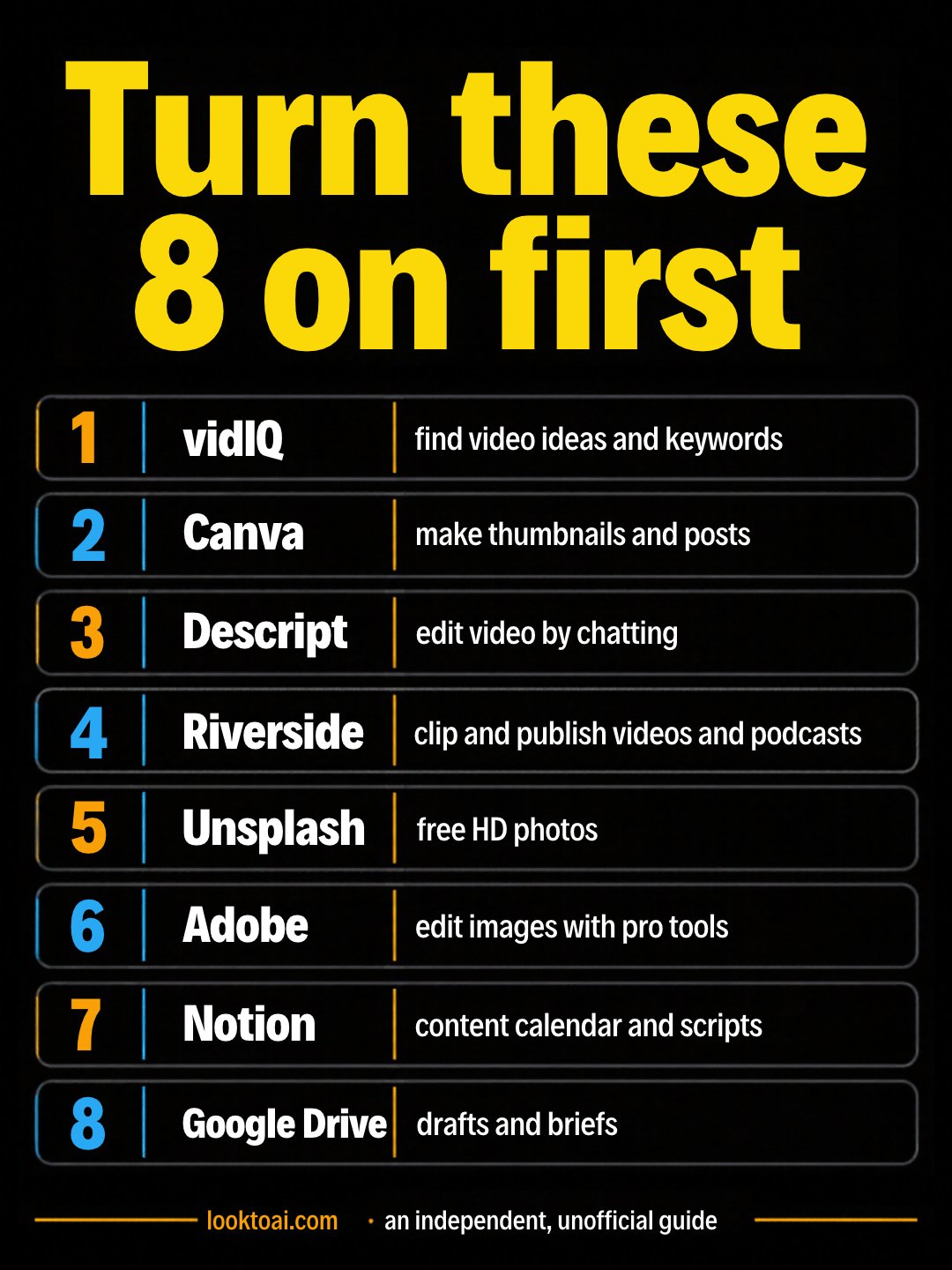
The best Claude connectors for content creators are vidIQ (video ideas, keywords and outlier videos), Canva (thumbnails and posts), Descript and Riverside (edit and clip video by chatting), Unsplash (free photos), Adobe (image edits), plus Notion and Google Drive for your calendar and drafts. Turn on vidIQ and Canva first.
Key facts
- Connectors are added in Claude under Customize → Connectors, or from the + menu in a chat.
- All 8 connectors below were listed in Claude’s connectors directory when we checked them.
- vidIQ is read-only for your YouTube channel: it can research and suggest, not post or change settings.
- vidIQ data for Instagram and TikTok comes from third-party sources and vidIQ’s own collection, not Meta’s official API.
- You still approve what gets published. Claude drafts; you post.
Which Claude connectors should content creators turn on first?
Start with vidIQ and Canva. vidIQ gives Claude real YouTube data for ideas and titles; Canva turns the idea into a thumbnail or post. Add an editor (Descript or Riverside) once you are happy with the first two.
| Connector | What it lets Claude do | Use it for |
|---|---|---|
| vidIQ | Video ideas, keywords, outlier videos, competitor channels | Research |
| Canva | Search, create, autofill and export designs | Thumbnails, posts |
| Descript | Import, edit or create video with prompts | Editing |
| Riverside | Prep, edit, clip and publish videos and podcasts | Clips |
| Unsplash | Find and use free HD images | Photos |
| Adobe | Design, combine and edit with Adobe pro tools | Image edits |
| Notion | Search and update pages and databases | Content calendar |
| Google Drive | Search, read and upload files | Drafts, briefs |
1. vidIQ: what should my next video be?
vidIQ gives Claude access to YouTube keywords, trends, outlier videos, channels, competitors, transcripts, comments and performance data, plus research across Instagram and TikTok. It is read-only for your channel. Tool calls use your vidIQ plan’s credits.
The idea sweep
Use vidIQ. Find 10 outlier videos from the last 90 days in my niche: [niche]. For each, tell me why it beat the channel average and give me one angle I could make in my own style. Then rank the 10 angles by search demand.
What you get back: a ranked table of 10 video angles with the outlier video behind each one and the keyword it targets.
2. Canva: thumbnails and posts from the chat
The Canva connector can search, create, autofill and export designs. Ask for three thumbnail directions, pick one, and export it without leaving Claude.
Three thumbnails, one winner
Use Canva. Make 3 YouTube thumbnail options for a video titled "[title]". Big text of 4 words or fewer, high contrast, my brand colours [colours]. Then tell me which one reads best at phone size and why.
What you get back: three editable Canva designs with links, and a short note on which one is easiest to read small.
3. Descript: edit video by chatting
Descript is a video editor you can direct through conversation: import, edit or create video with prompts. It suits talking-head videos and podcasts where most edits are cuts.
The clean cut
Use Descript. In my project "[project]", remove filler words and long pauses, then suggest 3 moments under 45 seconds that would work as Shorts, with a hook line for each.
What you get back: a cleaner edit in your Descript project and a list of 3 clip moments with start and end times and a hook.
4. Riverside: clips and publishing for video and podcast
Riverside’s connector helps you prep, edit, clip and publish your videos and podcasts. Use it when you record interviews or a show on Riverside.
Episode to clips
Use Riverside. From my latest recording, pick 5 clips that make sense without context. For each, write a title and a one-line caption. Keep my words; do not invent quotes.
What you get back: 5 clip picks with titles and captions you can review before anything goes out.
5. Unsplash: free photos for posts and blogs
The Unsplash connector finds and uses free HD images. Good for blog headers, carousel backgrounds and newsletter images.
6. Adobe: pro edits without the learning curve
The Adobe connector lets Claude design, combine and edit with Adobe pro tools. Use it for background removal, resizing one image for every platform, or quick colour fixes.
Both libraries, the apps and the job guides in one download
$97Everything we make · $133 as separate bundlesSee inside →Buy once, get every update7. Notion: your content calendar in one place
With Notion connected, Claude can search pages and databases and create or update pages. Keep your calendar, script drafts and sponsor notes there.
The weekly plan
Use Notion. Read my "Content calendar" database. List what is due this week, what is missing a script or thumbnail, and draft the 2 missing scripts as new pages.
What you get back: a short due list and two new script pages in your Notion workspace.
8. Google Drive: drafts, briefs and sponsor files
Drive lets Claude search and read your files. Point it at a sponsor brief or an old script and ask for the new version.
Sponsor brief to script
Search my Drive for the [brand] sponsor brief. Write a 45-second read in my voice that covers every must-say point, and list anything in the brief I must not say.
What you get back: a ready-to-record sponsor read plus a checklist of must-say and must-not-say points.
Also worth a look
- Tella: edit, polish and publish your Tella screen videos by chatting.
- Picsart Media Studio: turn clips and photos into finished videos.
- Figma: if you design templates and want Claude to read them.
How do I connect them? (10 minutes)
- In Claude, open Customize → Connectors (or the + button in a chat).
- Search the connector name and click Connect.
- Sign in to that app and approve the access it asks for.
- In a chat, turn on only the connectors that job needs.
- Set write actions (posting, publishing) to Needs approval so nothing goes out without you.
What to watch out for
- Your voice stays yours. Give Claude a sample of your writing first, and edit every script before you record.
- Numbers are estimates. Search volume and earnings figures from any tool are estimates, not promises.
- Credits. Some connectors (vidIQ, for example) use your plan’s credits per call.
- Client and guest privacy. Do not paste private messages or unreleased sponsor terms into a chat you share.
Want the full creator workflow?
Claude for Writers and Content Creators: draft, edit and repurpose one piece into many, in your own voice. Tested prompts with example answers.
More connector guides: freelancers, small business, teachers, real estate agents and coaches.
FAQ
What are the best Claude connectors for content creators?
vidIQ for video ideas and keywords, Canva for thumbnails and posts, Descript or Riverside for editing and clips, Unsplash and Adobe for images, and Notion plus Google Drive for your calendar and drafts. Start with vidIQ and Canva.
Can Claude post to YouTube for me?
Not through vidIQ: its connector is read-only for your YouTube channel. It researches and suggests; you upload and publish yourself.
Are Claude connectors free?
Adding a connector in Claude costs nothing extra, but some apps need their own account or plan, and some (like vidIQ) use credits per call.
Will Claude write in my voice?
Only if you show it. Paste two or three of your best pieces, ask it to describe your style, and start every request with that description. Edit every draft before you publish.
Is my content safe when I connect apps?
Connectors only reach what you approve when you sign in. Keep publishing actions on “Needs approval” and avoid pasting private sponsor terms or guest details.
Sources: claude.com connectors directory (creative category), the vidIQ, Descript and Canva connector pages, vidiq.com/claude. An independent, unofficial guide.
Enjoyed this? Steal the 10 prompts I actually use.
The No-Hype AI Starter Kit — copy-paste prompts, a model cheat-sheet, and a 7-day plan. Drop your email and it's yours instantly.
No spam. Unsubscribe anytime.