
Most students already keep their life in a few places: notes in Google Drive or Notion, deadlines in email, classes in a calendar. Claude connectors let Claude read those places directly, so you stop copying and pasting and start studying. Here are the connectors worth adding, what each one really does, and how to use them without crossing your school’s AI rules.
Quick answer
The best Claude connectors for students are Google Drive for notes and readings, Gmail for deadlines, Google Calendar for revision plans, Notion for flashcards and trackers, Canva for presentations, and Consensus plus Scholar Gateway for finding peer-reviewed sources. Add them in Claude under Customize, then Connectors. Pair them with Claude’s Learning style.
Key facts
- Connectors from the directory work on the free Claude plan too.
- You sign in to each service yourself, and Claude only sees what that account can see.
- Google Drive, Gmail, Calendar, Notion and Canva can make changes, not only read, so review actions before you approve them.
- You can set Claude to always ask before it uses a connector tool.
- Canvas works only when your school has set up Claude for Education.
- Claude helps you plan, revise and understand. Your assignments stay your own work.
Which Claude connectors are best for students?
The useful ones are the services you already open every day. A connector is a sign-in link between Claude and another app. Once it is on, Claude works from your real files instead of guesses.
Start with the four that touch your daily routine: Google Drive, Gmail, Google Calendar and Notion. Add Canva if you make slides or posters for group work. Add Consensus and Scholar Gateway when you write essays or reports that need published research behind them.
What does each connector actually do for a student?
This comes from each listing in Claude’s connector directory. “Read and write” means Claude can change things in that app, such as creating a file or adding an event, so it is worth reading the action before you approve it.
| Connector | What it does for a student | Read or write | Best for |
|---|---|---|---|
| Google Drive | Searches and reads your notes, slides and readings; can also create or update files | Read and write | Study sheets from your own notes |
| Gmail | Finds course emails, deadlines and long threads; can draft and send | Read and write | Catching deadlines and replies |
| Google Calendar | Checks your schedule, finds free time, can add study blocks | Read and write | Revision plans around classes and work |
| Notion | Searches your notes and can create or edit pages and databases | Read and write | Flashcards, trackers, course hubs |
| Canva | Finds, summarises and generates designs, then exports them | Read and write | Posters, slides and visual summaries |
| Consensus | Searches peer-reviewed papers and links each one | Search and read | Finding studies for essays |
| Scholar Gateway (Wiley) | Answers grounded in Wiley journal articles with citations and DOI links | Search and read | Checking claims with real sources |
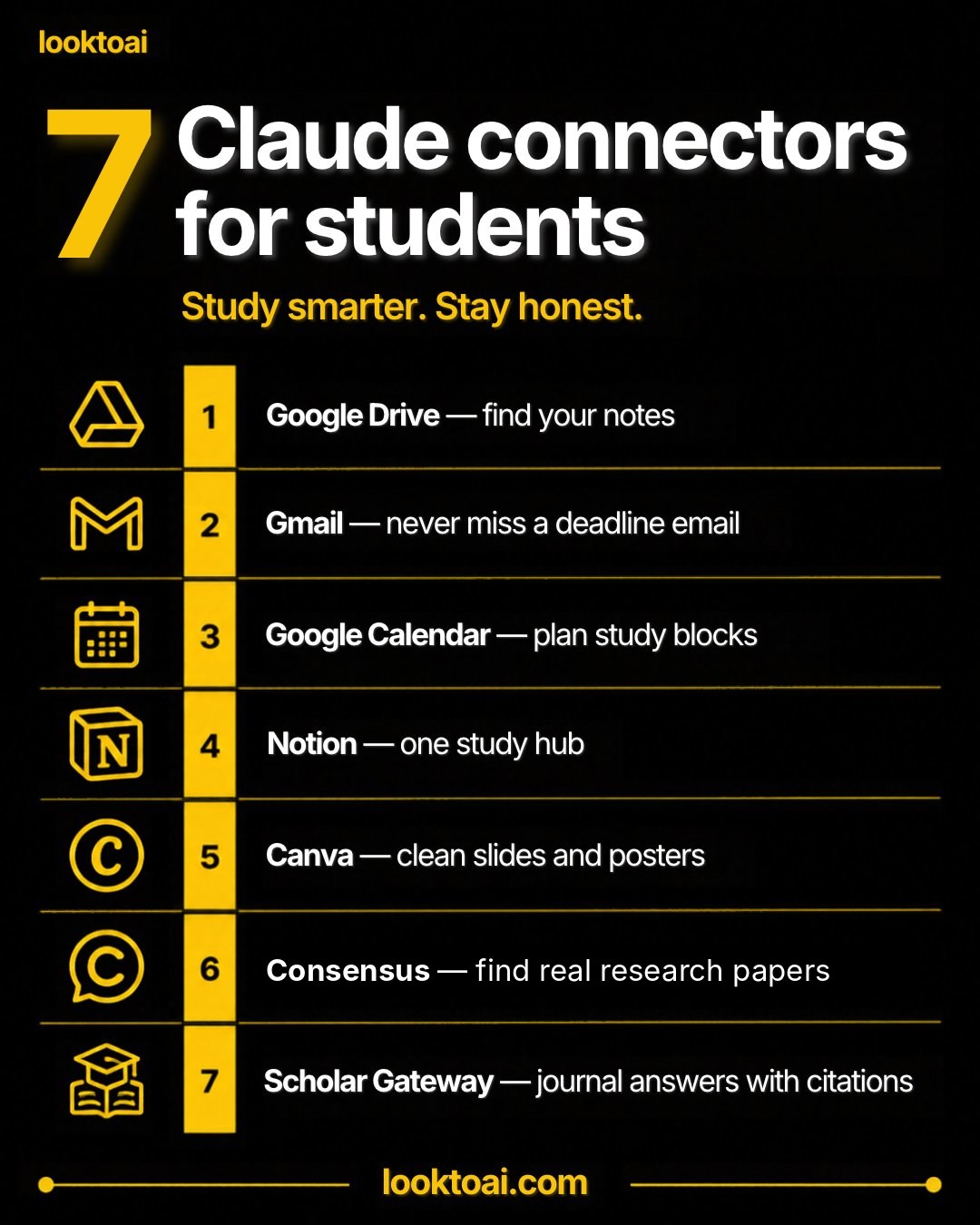
Google Drive, Gmail and Google Calendar
These three cover most of student life. Drive holds lecture notes, slides and reading packs. Gmail is where deadlines, room changes and feedback arrive. Calendar shows when you are actually free between classes, work and family.
Notion
If you keep course notes in Notion, Claude can search them and create new pages, such as a flashcard page or a reading tracker.
Canva
Group presentations and posters take hours of layout work. The Canva connector can find your existing designs and generate new ones.
Consensus and Scholar Gateway
Both help with research. Consensus searches peer-reviewed papers and links every result so you can open and cite it. Scholar Gateway, made by Wiley, grounds answers in Wiley journal articles with citations and DOI links. Both are a fast first pass, not a replacement for your library database.
Hand AI the paperwork, keep every judgment. Buy once, get every update.
Is there a Canvas connector for Claude?
Yes, but not one you can add on your own. Canvas by Instructure connects to Claude through Claude for Education, and it has to be switched on by your school’s Canvas administrator and Claude administrator. Ask your IT help desk whether it is enabled. If not, save course pages and deadlines into Drive or Notion.
What is Claude’s Learning style?
Learning is a style you can pick from Claude’s style menu. Instead of giving you the full answer, Claude asks guiding questions and gives hints so you work through the problem yourself. Use it when you need to understand a topic, not just get a result.
Both libraries, the apps and the job guides in one download
$97Everything we make · $133 as separate bundlesSee inside →Buy once, get every update5 prompts that save study time
Copy these into Claude after you turn on the matching connector. Replace the parts in square brackets with your own course or topic.
1. Turn my notes into a study sheet
Search my Google Drive for my notes on [topic] from this term. Make a one-page study sheet: key terms with plain definitions, the 5 ideas most likely to come up, and 10 practice questions. Do not change any files.
What you get back: A one-page sheet with a short glossary, five core ideas in two lines each, and ten questions that move from simple recall to “explain why”. It names the Drive files it used so you can check them.
2. Build a revision plan around real deadlines
Look at my Google Calendar for the next three weeks. I have exams in [course A] and [course B]. Find free blocks of 45 to 90 minutes and suggest a revision plan. Show it to me first, and only add events after I say yes.
What you get back: A day-by-day table of suggested study blocks that fit around your classes and shifts, with heavier sessions placed before the earlier exam. Nothing goes on your calendar until you approve it.
3. Find every deadline hidden in your inbox
Search my Gmail for messages from my course instructors and university portal in the last 30 days. List every deadline, room change and required reading, with the date and the email it came from.
What you get back: A clean list grouped by course: “Essay draft due Friday, from your seminar tutor”, “Lab moved to room B”, “Read chapters 4 to 5 before Tuesday”, each with a link back to the message.
4. Check a claim against published research
Use Consensus to find peer-reviewed studies on [question from my assignment]. Summarise what the studies agree on, where they disagree, and list the papers with links so I can read them myself.
What you get back: A short overview of where the evidence points, a note on mixed or weak findings, and a list of papers with links. You still read the sources and decide what goes in your work.
5. Make flashcards in Notion
Read my Notion page “[course] lecture notes”. Create a new page called “[course] flashcards” with question-and-answer pairs for each lecture. Keep answers under 25 words.
What you get back: A new Notion page with flashcards sorted by lecture, ready to use with a study partner or a toggle list. Your original notes page stays as it was.
How do I turn on connectors in Claude?
The path in Claude on the web or desktop:
- Open Claude and go to Customize, then Connectors.
- Click the + next to Connectors to browse the directory.
- Pick a connector, such as Google Drive, and click Connect.
- Sign in to that service and review what access it asks for.
- In a chat, click the + in the lower-left corner, hover over Connectors and switch on the ones you want for that conversation.
- If you want a check before every action, turn on the option for Claude to always ask before using a connector tool.
Connect only what you need, and remove connectors any time from the same screen.
Free tool · no sign-upHow many hours could AI give back?A rough weekly estimate and where to start.Try it →What are the limits, and how do I stay within academic honesty rules?
Connectors make Claude more useful, not always right:
- Claude can misread. It may miss an email or mix up two deadlines. Check anything important against the source.
- Write access is real. Drive, Gmail, Calendar, Notion and Canva can create, change or send things. Read each action before you approve it, and add “do not change any files” to your prompt when you only want reading.
- Research summaries are a starting point. Open the papers Consensus or Scholar Gateway return and cite only what you read.
- Privacy matters. Do not connect accounts that hold other students’ private information unless your school allows it.
On academic honesty, the rule is simple: Claude helps you study, plan and understand, and you do your own work. Rules about AI differ between schools, courses and even single assignments, so read your syllabus and your school’s AI policy, and ask your instructor when something is unclear. Using Claude to quiz you or explain a hard idea is very different from handing in text it wrote. No tool can promise better grades; this setup is about steadier study habits.
More jobs and audiences: Claude connectors by job.
Other job guides: job seekers, teachers, freelancers, content creators.
Want every Claude skill in one place?
The Complete No-Hype Guide to Claude: projects, files, connectors and tested prompts with example answers, written for people who are not technical.
FAQ: Claude connectors for students
Are Claude connectors free for students?
Yes, connectors from the directory are available on the free Claude plan, so you can add Google Drive, Gmail, Google Calendar, Notion and others without paying. Paid plans give you more usage. Some connected services, such as Canva or Consensus, may ask you to sign in with your own account and have their own plan limits.
Can Claude read my Google Drive lecture notes?
Yes. Once you connect Google Drive and sign in, Claude can search your Drive and read the files you point it to, such as notes, slides or study guides. The connector can also create or update files, so check what it plans to do before you approve a change in your Drive.
Is there a Canvas connector for Claude?
There is a Canvas integration, but it is set up by schools that use Claude for Education. A Canvas administrator and a Claude administrator have to turn it on together. If your school has not done this, you cannot add Canvas yourself, so copy readings or deadlines into Drive or Notion instead.
Is using Claude connectors cheating?
Connectors only give Claude access to your own files, email, calendar and notes. Using them to plan, revise and understand material is normal study support. Handing in work that Claude wrote for you is a different matter. Read your school and course AI rules, and ask your instructor when you are not sure.
What is Claude’s Learning style?
Learning is an option in Claude’s style menu. When you pick it, Claude guides you with questions and hints instead of giving the full answer straight away, so you work through the problem yourself. It pairs well with your connected notes, and you can switch it off at any time from the same menu.
Enjoyed this? Steal the 10 prompts I actually use.
The No-Hype AI Starter Kit — copy-paste prompts, a model cheat-sheet, and a 7-day plan. Drop your email and it's yours instantly.
No spam. Unsubscribe anytime.