




The answer looked perfect. That’s the problem.
AI writes wrong answers in exactly the same tone it writes right ones. This guide gives you a 90-second routine that catches the errors that actually cost you money, clients or grades — without turning you into someone who double-checks everything.

You asked a question, got a clean, confident, well-formatted answer — and now you have to decide whether to trust it. That decision is where most people either waste an hour re-checking everything or skip checking entirely and get burned in public. This guide shows you how to fact check AI answers with a repeatable routine that takes about a minute and a half, plus the exact prompts that make a model expose its own weak spots. No paranoia, no pretending the tools are useless.
Agents and Code — without the jargon.
Two of ten books in the complete No-Hype Guide · 693 pages · $47
To fact check an AI answer, break it into separate claims, then verify only the ones that would cause real damage if wrong — numbers, names, dates, prices, quotes and citations. Open every source link and confirm it actually says what the AI claims. Re-ask the same question in a fresh chat and compare. Never ask the same model whether it was right; ask it what would have to be true for the answer to be wrong.
Key Takeaways
- ✓Confidence tells you nothing. In Columbia’s Tow Center study, ChatGPT gave 134 wrong citations but signalled uncertainty only 15 times out of 200 responses.
- ✓Triage instead of verifying everything: split the answer into claims and check only the ones with a real cost attached.
- ✓A link existing is not evidence. Open it and find the sentence that supports the claim, or treat the claim as unverified.
- ✓“Are you sure?” is the worst possible follow-up — models tend to fold and agree with whatever you push toward.
- ✓Turning on web search shrinks the error rate but doesn’t remove it — the summary of a real source can still be wrong.
- ✓Keep a one-line error log. After two weeks you’ll know exactly which question types your model gets wrong, and checking gets faster.
Why AI Sounds Most Confident Exactly When It’s Wrong

This section explains the mechanism behind confident errors, because once you understand it, you stop being surprised and start checking the right things. A language model is a prediction engine: it produces the most plausible next chunk of text given everything before it. Plausible and true overlap a lot. They are not the same thing. And critically, the model’s tone is generated by the same process as its content — so a fabricated statistic arrives dressed in exactly the same calm authority as a real one.
The Complete Series
The whole Claude craft, one library.
$47 $190 · 10 books · 693 pages

The word for a made-up output is a hallucination: text that reads as fact but isn’t grounded in anything real. It’s a bad name, honestly. It suggests something rare and dramatic. The research says otherwise.
Two studies are worth knowing by name. Stanford’s RegLab published Large Legal Fictions, which tested public models on specific, checkable questions about real federal court cases. Rates ran from roughly 58% to 88% depending on the model. More useful than the headline number: the researchers found models frequently failed to correct a user who baked a false assumption into the question, and often couldn’t tell when they were making things up.
Then the Columbia Journalism Review’s Tow Center ran 1,600 queries across eight AI search tools — tools with live web access, not just training data. Give them a real excerpt, ask for the article, publisher and URL. Collectively wrong more than 60% of the time. Perplexity, the best performer, still missed 37%. Grok 3 missed 94%. And the paid tiers were often *more* confidently wrong than the free ones, because they were less willing to say “I couldn’t find it.”
OpenAI says this plainly in its own documentation. Its help page on whether ChatGPT tells the truth lists fabricated quotes, studies and citations as known failure modes and states that confidence isn’t reliability. The vendor is telling you to verify. Take the hint.
How to Fact Check AI Answers in 90 Seconds (The Traffic-Light Method)
This is the core routine — four passes over one answer, timed so you can actually do it every time instead of promising yourself you will. The trick isn’t checking harder. It’s checking selectively, on purpose, using cost as the filter.
Ninety seconds sounds optimistic until you do it a few times. Most answers have one or two red claims, not seven. And once you’ve built the habit on a topic you work in daily, step three collapses to about ten seconds because you already know where the primary source lives.
The 5 Claim Types That Break Almost Every Time

Errors aren’t randomly distributed — they cluster in predictable places, and knowing the clusters is what makes fast checking possible. Here’s the pattern I’d hand a new team member on day one.
| Claim type | Why it breaks | Fastest check |
|---|---|---|
| Citations & quotes | The model generates plausible-looking references the same way it generates sentences | Open the link. Use Ctrl+F on a distinctive phrase from the claim |
| Statistics | Real study, drifted number — or two studies fused into one | Search the exact figure plus the organisation name |
| Prices, plans & limits | Changed after training; models rarely know they’re stale | Go to the vendor’s own pricing page, not a review site |
| Rules, law & deadlines | Highly local, frequently amended, low presence in training data | Official government or regulator site only |
| “Recent” anything | Training cutoffs plus retrieval gaps | Check whether search was actually on for that response |
Citations deserve special attention because they’re the most trusted and the most fragile. A fabricated reference has a title that sounds right, an author who really works in that field, a journal that really exists, and a year that fits. Every ingredient is real. The dish never existed. That’s also why a fabricated citation slips past a skim — you recognise all the parts.
Six Prompts That Make AI Expose Its Own Weak Spots

You can’t outsource verification to the model, but you can change how it presents information so the shaky parts are visible before you go looking. These six are the ones worth memorising — they work in any chat tool, and none of them require a paid plan.
Recommended resource
The Complete No-Hype Guide to Claude
10 books · 693 pages · 450+ tested prompts · $47 $190
Answer the question below. Then split your answer into two
lists: (A) claims you are confident are correct, and (B)
claims you are uncertain about or inferred rather than
recalled. Put anything involving a number, date, name or
citation in list B unless you are certain.

QUESTION: [paste your question]
List B is your check list. It usually shortens the work by more than half, because the model is often perfectly capable of flagging its own soft spots — it just doesn’t volunteer them when you only ask for the answer.
What would have to be true for the answer you just gave to
be wrong? List the three most likely ways it fails, and tell
me exactly what I should check to rule each one out.
This one replaces “are you sure?” and it’s the single most useful upgrade in this article. “Are you sure?” invites agreement. Asking for failure modes invites analysis. You get a checklist instead of reassurance.
For every factual claim, give the primary source and a link
you actually retrieved this turn. If you cannot retrieve a
source, write UNSOURCED next to the claim instead of
guessing. Do not reconstruct citations from memory.
Before answering, check my question for false assumptions.
If any premise is wrong, correct it first and say so
explicitly. Do not build an answer on top of a mistake I
made in the question.
Add this one to your saved instructions permanently. The Stanford work found models routinely accept a user’s incorrect premise and then build a confident, internally consistent answer on top of it — which is a nasty failure, because the answer never looks broken. It looks like a direct response to what you asked.
Here is a claim and a source you gave me. Quote the exact
sentence from that source that supports the claim. If no
sentence in the source supports it, say NOT SUPPORTED.

CLAIM: [paste]
SOURCE: [paste URL or text]
I'm going to paste a claim. Don't tell me whether it sounds
right. Tell me what specific, checkable evidence exists for
and against it, and where that evidence lives.

CLAIM: [paste]
Run prompt 06 in a different model from the one that produced the answer — that’s the point of it. If you’re deciding which pairing to keep open, the side-by-side comparison of ChatGPT, Gemini and Claude covers how their strengths differ, and the breakdown of instant versus thinking modes matters here too: slower reasoning modes are noticeably better at catching their own contradictions.
The prompts in this article are 6 of 450+.
Ten books, 693 pages, every prompt run before it was printed — including a full chapter on getting reliable, sourced output instead of confident guesses. Every book stands alone.
- ▸ Verification and source-forcing prompt sets
- ▸ Research workflows that don’t rely on trust
- ▸ Plain-English throughout — no coding required
How to Fact Check AI Answers When There’s No Link to Click

Sometimes the answer arrives bare — no citations, no search, just text. That’s the situation most beginners freeze in, and it has a straightforward three-tab solution borrowed from how professional fact-checkers work.
Tab one: the claim, stripped
Take the shortest searchable version of the claim and paste it into a normal search engine. Not your original question — the claim. If the AI said a particular agency raised a threshold to a specific figure, search that figure plus the agency’s name. You are looking for whether anyone independent says the same thing. Silence is information: a specific-sounding fact that produces zero corroboration is very often invented.
Tab two: the primary source
Skip the blogs summarising the thing and go to whoever owns the fact. Pricing lives on the vendor’s site. Tax thresholds live on the revenue authority’s site. Study numbers live in the paper’s abstract. Aggregators drift; primary sources don’t. This is also the step where you catch the most common near-miss — the number was right two years ago.
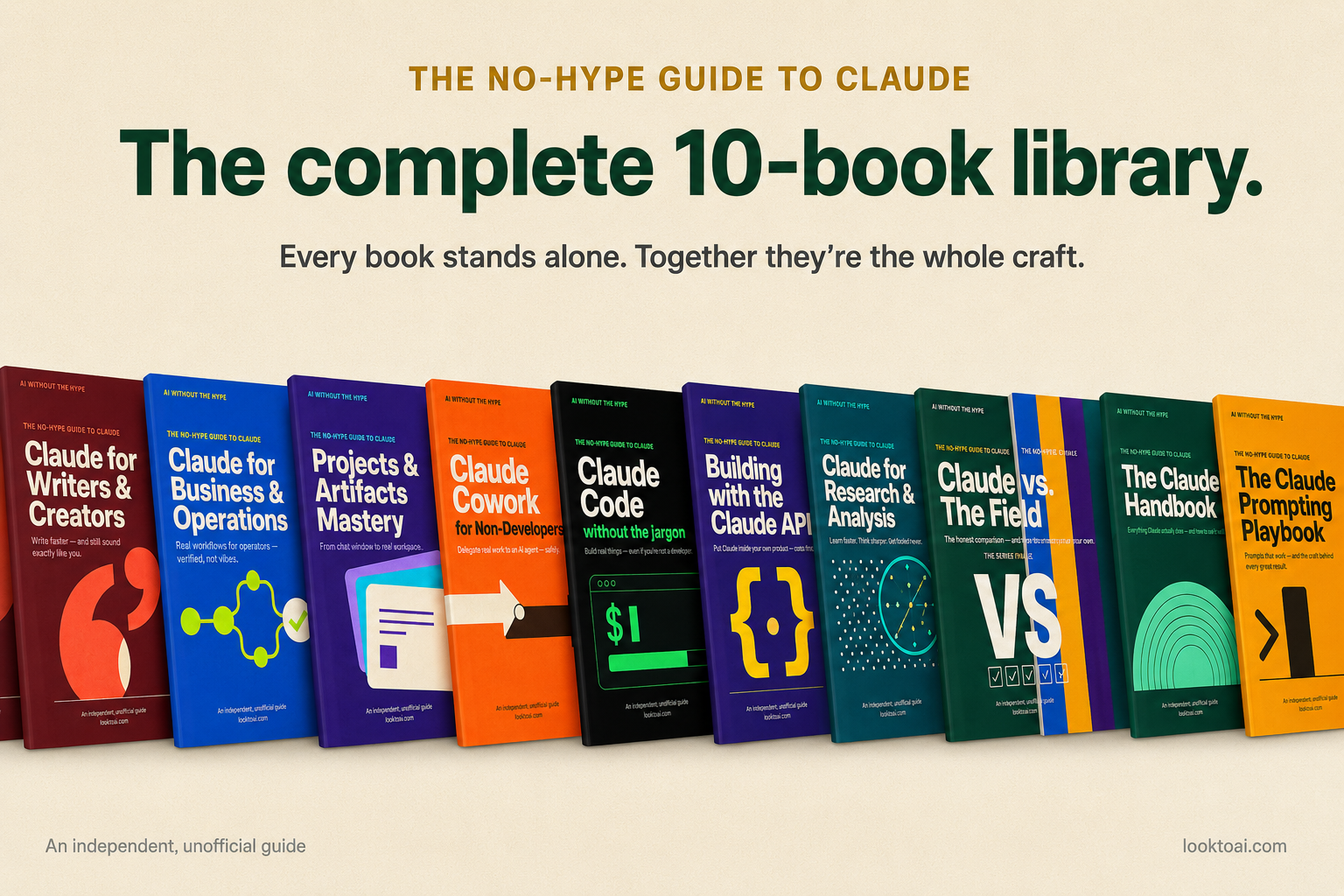
The Complete No-Hype Guide to Claude
$47 $190 SAVE 75%
10 books · 693 pages · 450+ copy-paste prompts · instant download
Run the numbers →Tab three: the contradiction hunt
Search deliberately for disagreement: add words like wrong, myth, correction, updated, or the current year to your query. If a claim has been publicly disputed, this surfaces it in one search. Ten seconds, and it’s the step almost nobody does.
What Verification Looks Like in Three Real Jobs

The routine is the same; the red list changes depending on what you’d lose. Find yourself in this table and steal the column.
| If you’re a… | Your red claims | Your standing rule |
|---|---|---|
| Freelancer or agency | Client-facing stats, competitor claims, anything in a proposal or invoice | Nothing with a number leaves your drafts folder unsourced |
| Small business owner | Prices, refund and platform policies, supplier terms, local regulations | Policy claims get checked on the platform’s own help pages, always |
| Student or researcher | Every citation, every quote, every attributed finding | If you haven’t opened the source, it doesn’t go in the bibliography |
If you’re using AI to produce work you sell — writing, research, admin — this habit is the difference between a tool that saves you hours and one that eventually costs you a client. The broader picture is worth reading alongside this: our guide to using AI tools as a freelancer and the walkthrough on automating content from idea to published post both assume you’ve got a verification step in the pipeline. This is that step.
The 15-Minute Weekly Habit That Shrinks Your Error Rate

Checking gets dramatically faster once you know your own model’s failure pattern, and the only way to learn that is to write the failures down. Here’s the lightest version that actually survives contact with a busy week.
- Keep one note file called AI misses. When you catch an error, log one line: the question type, what it got wrong, and how you caught it. Ten seconds, no formatting.
- Every Friday, read the list. After two or three weeks a pattern appears — for most people it’s pricing, local rules, or anything published in the last year.
- Turn the pattern into a standing instruction in your AI tool’s custom instructions: “Never state pricing without retrieving it. Flag anything about local regulations as unverified.”
- Once a month, run one question you already know the answer to cold. It’s a calibration check — cheap, and it keeps you honest about how much you’re trusting.
If AI is becoming a daily part of how you work, it’s worth pairing this with a deliberate setup rather than ad-hoc chatting — the roundup of AI tools for everyday productivity and our beginner’s guides to AI cover the groundwork. And if you’re still forming a mental model of what these systems actually do under the hood, start with what artificial intelligence really is. Understanding prediction-not-knowledge is what makes all of this click.
Five Verification Mistakes That Look Like Diligence

These are the errors made by people who are already trying — which is exactly why they’re worth naming.
1. Asking the model “are you sure?”
It feels like scrutiny. It functions as a nudge. Models tend to accommodate the direction you push, so a doubtful tone often produces a revision whether or not the original was wrong — and a confident tone produces reassurance whether or not it’s earned. Do this instead: ask what would have to be true for the answer to be wrong, and where to check.
2. Treating a working link as verification
The link loads, the domain is reputable, you move on. But the failure mode isn’t usually a dead URL — it’s a live page that doesn’t say what the AI claimed. Do this instead: open it and search for a distinctive phrase from the claim. If you can’t find the supporting sentence, the claim is unverified regardless of how good the source is.
3. Using a second AI as the judge
Cross-checking between models is genuinely useful as a disagreement detector — if two independent models diverge, something’s wrong. But agreement isn’t proof. They train on overlapping data and can share the same misconception, especially where a wrong version of a fact is widely repeated online. Do this instead: treat model agreement as a green flag to move faster, never as the final source.
4. Verifying the summary instead of the claim
You confirm that the report exists and that it broadly covers the topic — but not the specific number the AI pulled from it. That’s where the drift lives: real source, real subject, wrong figure. Do this instead: verify at the level of the number, not the topic.
5. Trying to check everything
The most common reason people stop verifying is that they tried to verify all of it, found it exhausting, and quietly gave up. Total verification isn’t a standard anyone meets. Do this instead: triage by consequence. Three red claims checked properly beats twenty claims skimmed, every single time.
Frequently Asked Questions
Build the whole workflow, not just the checking step.
Six practical guides covering prompts, content creation, productivity, automation and business growth — written the same way this article is: plain English, tested steps, no promises about overnight results.
See what’s included →The One Habit Worth Keeping
Everything in how to fact check AI answers reduces to a single reflex: separate the claims that carry a real cost from the ones that don’t, and never accept a source you haven’t opened. Build that into a ninety-second pass and you get the speed of AI without inheriting its blind spots. Start with the next answer you’re about to send someone — find the two claims that would actually hurt if they were wrong, and check those two.
Enjoyed this? Steal the 10 prompts I actually use.
The No-Hype AI Starter Kit — copy-paste prompts, a model cheat-sheet, and a 7-day plan. Drop your email and it's yours instantly.
No spam. Unsubscribe anytime.