




Open ChatGPT to write something and you hit a wall before you type a word: Instant, Medium, High, Extra High, two Pro modes. The names changed again in June 2026, and the instinct is to grab the most powerful one and assume better prose comes out. It doesn’t. This guide tells you exactly which ChatGPT model to use for writing — task by task — based on testing each level on real drafts, not on marketing pages.
Agents and Code — without the jargon.
Two of ten books in the complete No-Hype Guide · 693 pages · $47
For writing, default to Instant. It handles emails, blog drafts, social posts, and rewrites quickly and reads more naturally than the heavier modes. Step up to High (a Thinking level) only for long, structured, or research-heavy pieces where logic must stay consistent across thousands of words. Skip Pro entirely for writing — it disables Canvas and burns quota without improving your prose. Match the effort to the task, not the label.
Key Takeaways
- Every option in ChatGPT’s 2026 picker runs on the GPT-5.5 family; the labels (Instant, Medium, High) set how long it reasons, not which “smarter model” you get.
- Writing is mostly a language task, not a reasoning task, so Instant produces cleaner prose than the Thinking modes for the large majority of everyday writing.
- The Thinking levels (Medium and up) help only when a piece carries a real reasoning load — long structured reports, technical accuracy, synthesizing sources.
- Pro modes are the wrong choice for writing because they turn off Canvas, Memory, and image generation, and add cost for reasoning depth you don’t need to write well.
- Auto-routing means even on Instant, genuinely complex requests get bumped to Thinking automatically — so your manual pick matters less than it did a year ago.
- The picker has been reworked three times in under a year, so learn the principle (fast by default, step up for hard logic) instead of memorizing labels that keep changing.
The ChatGPT Model Picker in 2026: What You’re Actually Choosing
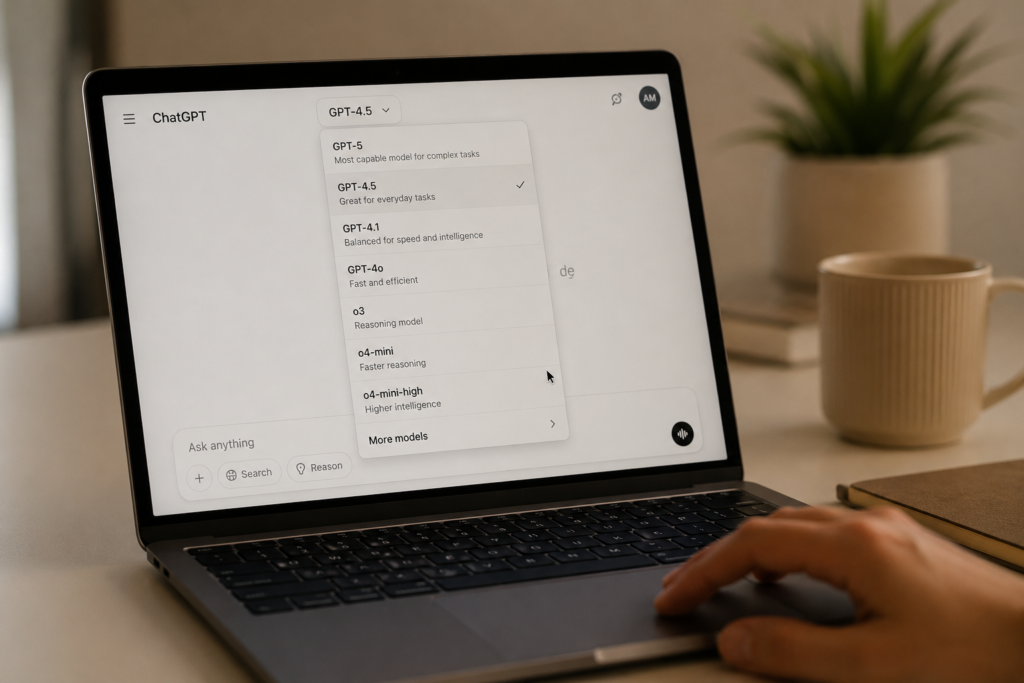
Before you can pick well, you need to know what the menu actually represents now, because it’s not what it was even three months ago. As of June 2026, every option in the ChatGPT picker runs on the same GPT-5.5 family. You are no longer choosing between different “brains.” You’re choosing how hard the same model thinks before it answers.
Agents and Code — without the jargon.
Two of ten books in the complete No-Hype Guide · 693 pages · $47
Here’s the current lineup in plain terms. Instant is the default and the fast one — GPT-5.5 Instant. Medium and High are the same Thinking model at standard and extended reasoning effort (they were called Thinking Standard and Thinking Extended before the June rename). Extra High pushes reasoning effort to its limit. Pro Standard and Pro Extended run GPT-5.5 Pro, reserved for paid power tiers and built for the hardest analytical work. OpenAI relabeled all of these around June 10, 2026, swapping confusing model names for effort levels — a genuine improvement, even if the result isn’t loved.
A few specifics worth knowing. Free users default to Instant and don’t get the manual picker at all. Paid tiers — Go, Plus, Pro, Business — get the dropdown. GPT-5.5 Instant has been the default for everyone since May 5, 2026. And there’s auto-routing baked in: when you’re on Instant, ChatGPT can quietly escalate a hard request to Thinking on its own, and that automatic switch doesn’t count against your manual Thinking quota.

That last point is also the source of the loudest complaint about the picker. Because the system decides how much effort your question “deserves,” people who manually select High sometimes get an answer that feels shallow — the model judged it an easy task. One widely shared post called the picker the biggest lie in the product for exactly this reason. OpenAI has been adjusting the routing, but the practical fix is simple: if a High answer feels lazy, regenerate it.
One more reality check before we get to writing. This menu is the third major rework in under a year, and GPT-5.6 is expected around July 2026, which will almost certainly reshuffle it again. So the smart move is to stop memorizing labels and learn the underlying question instead: is this a language task or a reasoning task? That single distinction tells you what to pick every time, no matter what OpenAI calls the buttons next month.
Which ChatGPT Model to Use for Writing (Task by Task)
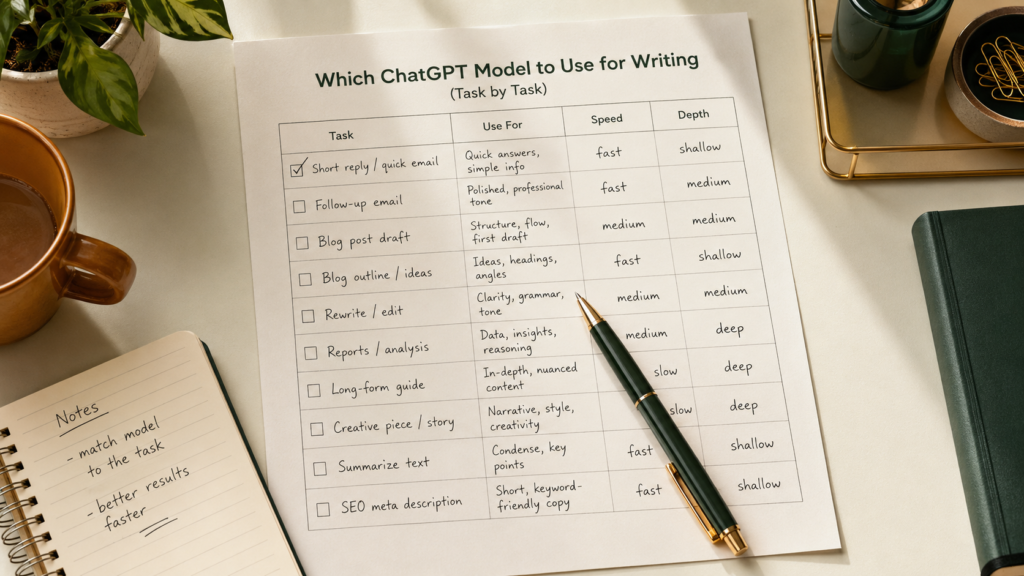
For the vast majority of writing, the answer is Instant, and understanding why saves you from the most common mistake. Writing — drafting, rephrasing, summarizing, generating options — is a language task. Instant is tuned for fast, fluent language. The Thinking modes are tuned for sustained reasoning, and when you point that reasoning machinery at ordinary prose, it tends to over-structure: more hedging, more scaffolding, longer sentences, a stiffer voice. You’re paying in speed and naturalness for logic the task never needed.
The exception is writing that carries a genuine reasoning load. A 4,000-word strategy memo where every section has to stay logically consistent. A technical explainer where a factual slip undermines the whole piece. A literature-style synthesis pulling from several sources that must not contradict each other. There, the extra reasoning earns its cost, because the bottleneck isn’t the sentences — it’s the thinking behind them.
Here’s the task-by-task breakdown I actually use.
| Writing task | Best pick | Why |
|---|---|---|
| Emails, DMs, replies | Instant | Pure language; speed and natural tone win |
| First blog draft | Instant | Fast, fluent, easy to edit; Thinking over-formalizes |
| Rewriting / editing existing text | Instant | A phrasing task, not a reasoning one |
| Social posts, captions, hooks | Instant | Short, punchy prose is Instant’s strength |
| Brainstorming angles and outlines | Instant | Volume and variety matter more than depth |
| Long structured report or whitepaper | High | Logic must hold across thousands of words |
| Technical or explainer writing | High | Accuracy stakes justify deeper reasoning |
| Synthesizing multiple research sources | High / Extra High | Cross-checking facts is reasoning work |
| Anything you’ll edit in Canvas | Medium or High | Instant can’t use Canvas; Thinking can |
| Any writing task | Not Pro | Pro disables Canvas and adds cost, not prose quality |
The pattern: default to Instant, and only climb the ladder when the writing depends on logic holding together, not on the words sounding good. Even then, a strong workflow is to draft in Instant and switch to High only for the hard structural pass.
Instant vs Thinking for Writing: The Real Difference (Tested)
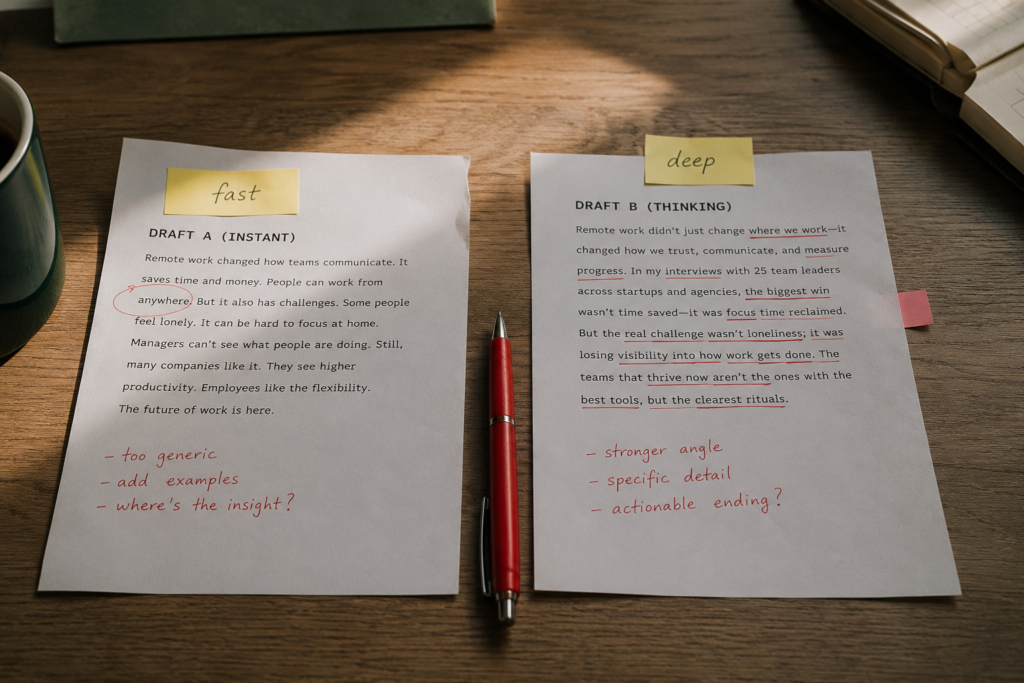
To show what this feels like in practice, I ran the same writing prompts through Instant and through High and compared the output, because the difference is consistent and useful to recognize. The prompt was a 200-word product intro and, separately, a 1,500-word explainer with a logical argument running through it.
Ten books. The whole craft. Zero hype.
From first chat to shipped product — 693 pages, 450+ tested prompts, $47 complete.
Open the libraryOn the short product intro, Instant won clearly. It produced tighter, more natural copy in about four seconds. High took noticeably longer, added a more formal register, and slipped in extra qualifying clauses — “while it’s true that,” “depending on your needs” — that I had to cut. For short prose, the Thinking mode didn’t make the writing better. It made it more careful, which for marketing copy reads as more boring.
On the 1,500-word explainer, the result flipped. Instant’s version was fluent but drifted — by the third section it had slightly contradicted a point from the first. High held the argument together end to end, kept the structure consistent, and caught a logical gap Instant had papered over. The prose was a touch stiffer, but the thinking was sound, and that mattered more for a long reasoned piece.
The takeaway is a clean rule. Short and stylistic? Instant. Long and logical? High. If you can’t tell which one a task is, start on Instant and leave auto-switching on — for genuinely complex requests, ChatGPT will escalate to Thinking on its own, and you get the depth only when it’s actually needed.
Which ChatGPT Model to Use for Writing Long-Form and Technical Pieces
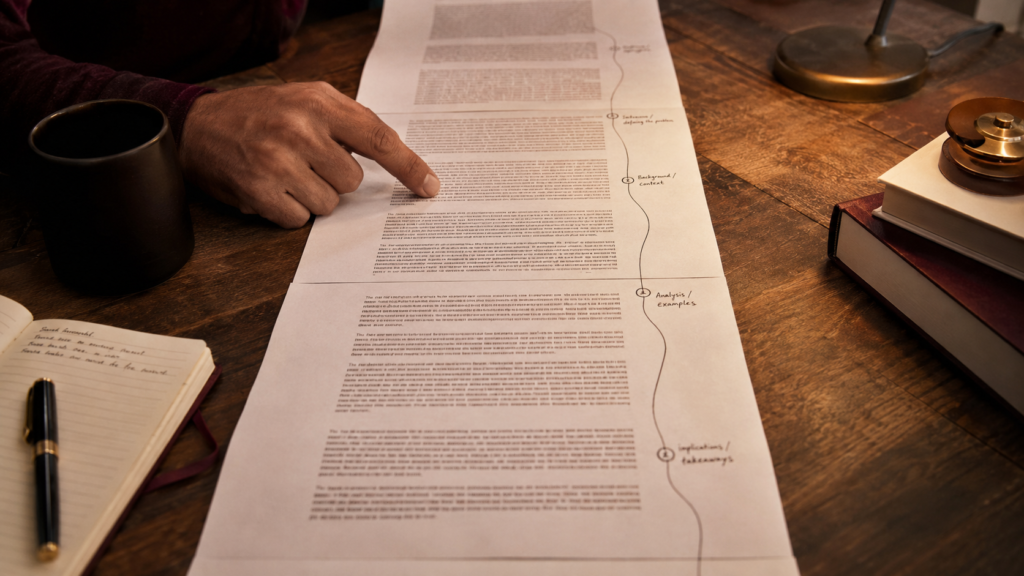
Long-form and technical writing is the one zone where reaching past Instant pays off, so it deserves its own logic. The reason isn’t that High writes prettier sentences — it doesn’t. It’s that long pieces fail on consistency, not phrasing, and consistency is a reasoning problem.
Think about what breaks in a 3,000-word article. The model defines a term one way in section two and another way in section five. It promises “three reasons” and delivers four. It builds an argument and then quietly undermines it near the end because it lost the thread. These are reasoning failures, and the Thinking modes are built to avoid exactly them. High and Extra High hold a longer chain of logic in view while they write, which is why a complex whitepaper, a detailed how-to, or a researched analysis comes out more coherent.
A concrete example from my own testing: I had both modes write a 2,500-word guide that opened by promising a five-step framework. Instant introduced the five steps, then in the back half merged two of them and added a new one it never named in the intro — so the article promised five and delivered something closer to four-and-a-half. A reader notices that. High kept all five steps intact, in the same order, with the same names from intro to conclusion. Neither version had better sentences. One just kept its promises and the other didn’t, and on a long piece that’s the whole difference.
For genuinely heavy synthesis — say, turning five source documents into one consistent briefing — Extra High is worth the wait and the quota. It cross-checks claims more rigorously. But that’s a narrow case. Most “long” writing, like a standard blog post, is still a language task and belongs on Instant; length alone doesn’t make something a reasoning job.
Half the shelf, shown. The craft needs all ten.
The Complete No-Hype Guide to Claude · 693 pages · 450+ tested prompts
See the full shelf — $47There’s also a tooling wrinkle that decides the pick for you sometimes. If you want to draft and edit inside Canvas, ChatGPT’s side-by-side writing workspace, Instant can’t do it — Canvas needs a Thinking level (Medium or higher). So a long editing session in Canvas pushes you to Medium regardless of the reasoning load, simply because that’s where the tool lives.
How to Configure the Picker So You Can Forget It Exists
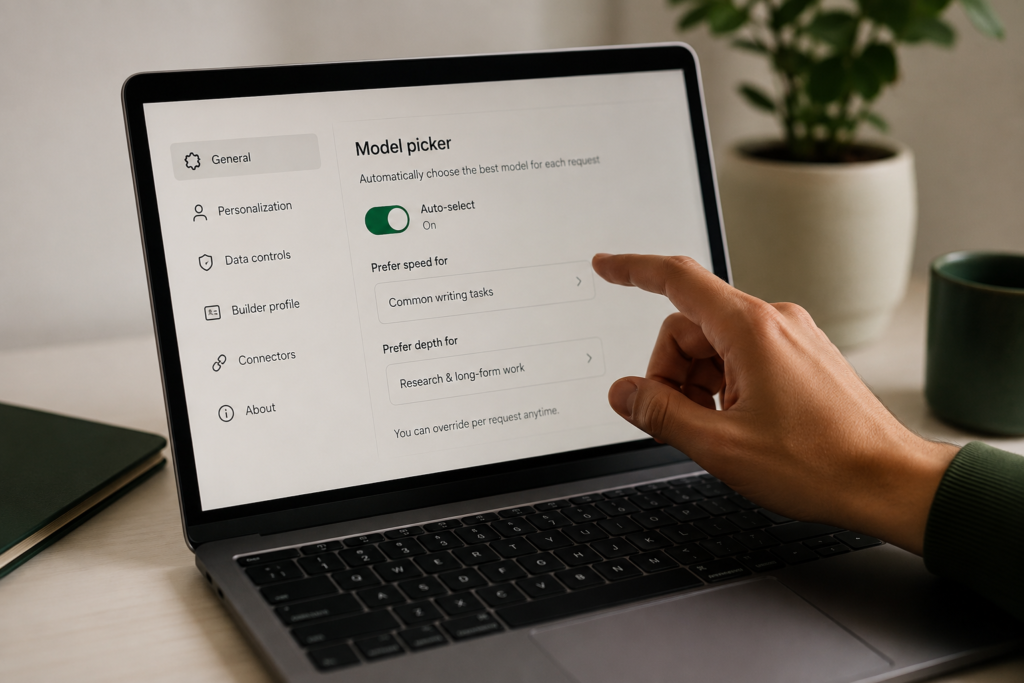
The best setup is one where you barely touch the dropdown, and the picker now supports that if you configure it once. Most writers waste mental energy second-guessing the menu mid-task; a two-minute setup removes the decision almost entirely.
Leave auto-switching on. In the picker, click Configure and make sure automatic switching between Instant and Thinking is enabled. With it on, you stay on fast Instant for ordinary writing and the system escalates to Thinking only when a request is genuinely complex — and those automatic escalations don’t eat your manual Thinking allowance. For most writing days, this means you set Instant and forget the menu.
Know your manual overrides. Keep two overrides in your head. Switch to High by hand when you’re starting a long, logical piece and you want the reasoning depth from the first word. And switch to a Thinking level when you specifically need Canvas. Outside those two cases, manual selection rarely improves writing.
Mind the quota. On Plus and Go, you get 160 GPT-5.5 messages every three hours before chats fall back to a lighter mini model. Burning High on emails wastes that allowance for no quality gain. Reserving the heavy modes for the few tasks that need them keeps your best reasoning available when it counts.
Set your voice once, separately. None of these levels fixes generic prose on their own. Put your style rules — banned phrases, sentence-variation instructions, a sample of your writing — into custom instructions or a Project. Voice is a prompt problem, not a model-picker problem, and solving it once does more for your writing than any effort level ever will.
Common Mistakes Writers Make Picking a ChatGPT Model

Even people who know the basics keep sabotaging their own writing in four specific ways, and each one feels like a smart choice at the time.
Always picking the “most powerful” mode. The big one. People reach for Pro or Extra High on every task, assuming maximum power equals maximum quality. For writing, it often equals slower, stiffer, more over-hedged prose — plus a Canvas that no longer works and a quota that drains fast. Power is for hard reasoning. Most writing isn’t hard reasoning. Default down, not up.
Using Pro mode to write. A specific version of the above. Pro disables Apps, Memory, Canvas, and image generation, and it’s tuned for science, law, and math-grade reasoning. None of that helps you write a newsletter, and you lose the tools writers actually use. There is almost no writing task where Pro is the right pick.
Fighting auto-routing instead of using it. Some people obsessively override the system, switching to High for everything because they don’t trust the auto-router. But the router is genuinely useful for writing — it keeps you fast and only spends reasoning when needed. The smarter move is to leave it on and override only in the two cases that warrant it. If a manually chosen High answer feels shallow, regenerate rather than assuming the model failed.
Blaming the model for what’s a prompt problem. When AI writing comes out generic, people climb to a higher mode hoping for personality. It won’t appear. Bland output is almost always a thin prompt — no voice sample, no constraints, no point of view. Switching from Instant to Extra High changes the reasoning depth, not the voice. Fix the prompt first; you’ll usually find Instant was fine all along.
Frequently Asked Questions
Which ChatGPT model is best for writing in 2026? For most writing, GPT-5.5 Instant — the default fast mode. It’s tuned for fluent language and produces more natural prose than the heavier Thinking modes, which tend to over-formalize short and creative writing. Only step up to a Thinking level like High for long, structured, or research-heavy pieces where logical consistency across the whole piece matters more than the individual sentences.
What’s the difference between Instant and Thinking for writing? Instant answers fast and writes in a looser, more natural voice, which suits emails, drafts, social posts, and rewrites. Thinking modes reason longer before replying, which helps a long piece stay logically consistent but adds stiffness and hedging to short prose. Rule of thumb: short and stylistic goes to Instant, long and logical goes to High.

Should I use ChatGPT Pro mode for writing? No. Pro modes are built for the hardest reasoning — science, law, complex math — and they switch off Apps, Memory, Canvas, and image generation while you use them. They don’t write better prose than Instant, they cost more quota, and you lose the tools writers rely on. Save Pro for genuinely hard analytical problems, not for writing tasks.
Why does ChatGPT give a shallow answer when I picked High? Because of auto-routing. The system judges how much reasoning effort a request needs, and if it reads your prompt as simple, you can get a light answer even on a manually chosen High. This is the most common complaint about the 2026 picker. The quick fix is to regenerate the response, which often triggers the deeper reasoning you expected.
Do I need a paid plan to choose a model for writing? For manual choice, yes. Free users default to GPT-5.5 Instant and don’t see the picker, though Instant handles everyday writing well. Paid tiers — Go, Plus, Pro, Business — get the dropdown and can manually select Thinking levels. For most writers, free-tier Instant is genuinely enough; the picker mainly helps when you regularly write long, reasoning-heavy pieces.
Will these model names change again? Almost certainly. ChatGPT’s picker has been reworked three times in under a year, and GPT-5.6 is expected around July 2026, which will likely rename or reshuffle the options again. That’s why it’s worth learning the principle rather than the labels: fast mode by default for language tasks, a reasoning mode only for logic-heavy work. The buttons change; the principle doesn’t.
What to Do With This Next
If you remember one thing, make it this: deciding which ChatGPT model to use for writing comes down to whether the task is about language or about logic — and writing is almost always about language, which means Instant is your default, not your fallback. Set the picker to auto-switch, keep High in reserve for long reasoned pieces, and pour your real effort into the prompt and your voice. The next time the labels change, you’ll already know exactly which one to reach for.
Enjoyed this? Steal the 10 prompts I actually use.
The No-Hype AI Starter Kit — copy-paste prompts, a model cheat-sheet, and a 7-day plan. Drop your email and it's yours instantly.
No spam. Unsubscribe anytime.